
Packing · Television
Moving a TV: packaging, cables and setup
A screen diagonal and a “fragile” label are not enough to plan TV transport. You need packed dimensions, suitable protection and a clear setup plan. Before moving day, decide who will remove the TV from its mount, who will pack it and where the stand, remote control and required cables will travel.
1. Record the model, dimensions and condition
Find the full model name and save its manual. The inch measurement describes the screen diagonal rather than the carton width. Measure the cabinet, noting the stand and protruding elements separately. If a weight is documented, check whether it includes the stand. Identify an unknown weight as unknown in your enquiry.
Record the visible condition of the cabinet and screen before packing. Where useful, photograph the working device with a neutral image and no personal information. Note existing faults and special features. This helps describe its initial condition but does not replace agreed handover and damage-reporting procedures.
| Record | Value needed | Purpose |
|---|---|---|
| Model | Full name from the documentation | Find the correct instructions |
| Cabinet and stand | Actual dimensions and known weight | Prepare packing and carrying |
| Finished carton | Outside length, height and depth | Check access and vehicle space |
2. Prepare cables and accessories
Before disconnecting anything, photograph accessible ports and label cables for later matching. Switch off the TV and disconnect power and external cables according to its instructions before carrying. If a wall mount blocks access, agree the sequence with the person removing the device. Do not pull on a cable to free it.
Put the remote, detachable cables, external connection box and other accessories in separately labelled packaging. Keep a removed stand and its screws associated with each other if needed at the destination. Do not place hard parts in the space in front of the screen. Record who transports the accessory package and who receives it after unloading.
| ID | Contents | Check |
|---|---|---|
| TV01 | Packed television | Model, condition and destination room |
| TV01-A | Remote, cables and separate accessories | Items actually included |
| TV01-S | Removed stand and its fittings | They belong to this exact model |
3. Agree wall removal as a separate task
Tell the provider whether the TV stands on furniture or is wall-mounted. For a wall mount, provide its model, access details and instructions. Assign removal to someone with appropriate knowledge and the assistance required for the device. Do not release the mount before support for the TV and a packing position have been arranged.
Discuss what remains on the old wall and what travels with the device. Keeping existing parts does not establish that the mount suits the new wall. Agree installation by checking compatibility between the TV, bracket, supporting wall and fixings. Required mounting work should be clear before the job is ordered, rather than added unexpectedly during unloading.
4. Check the carton together with its inserts
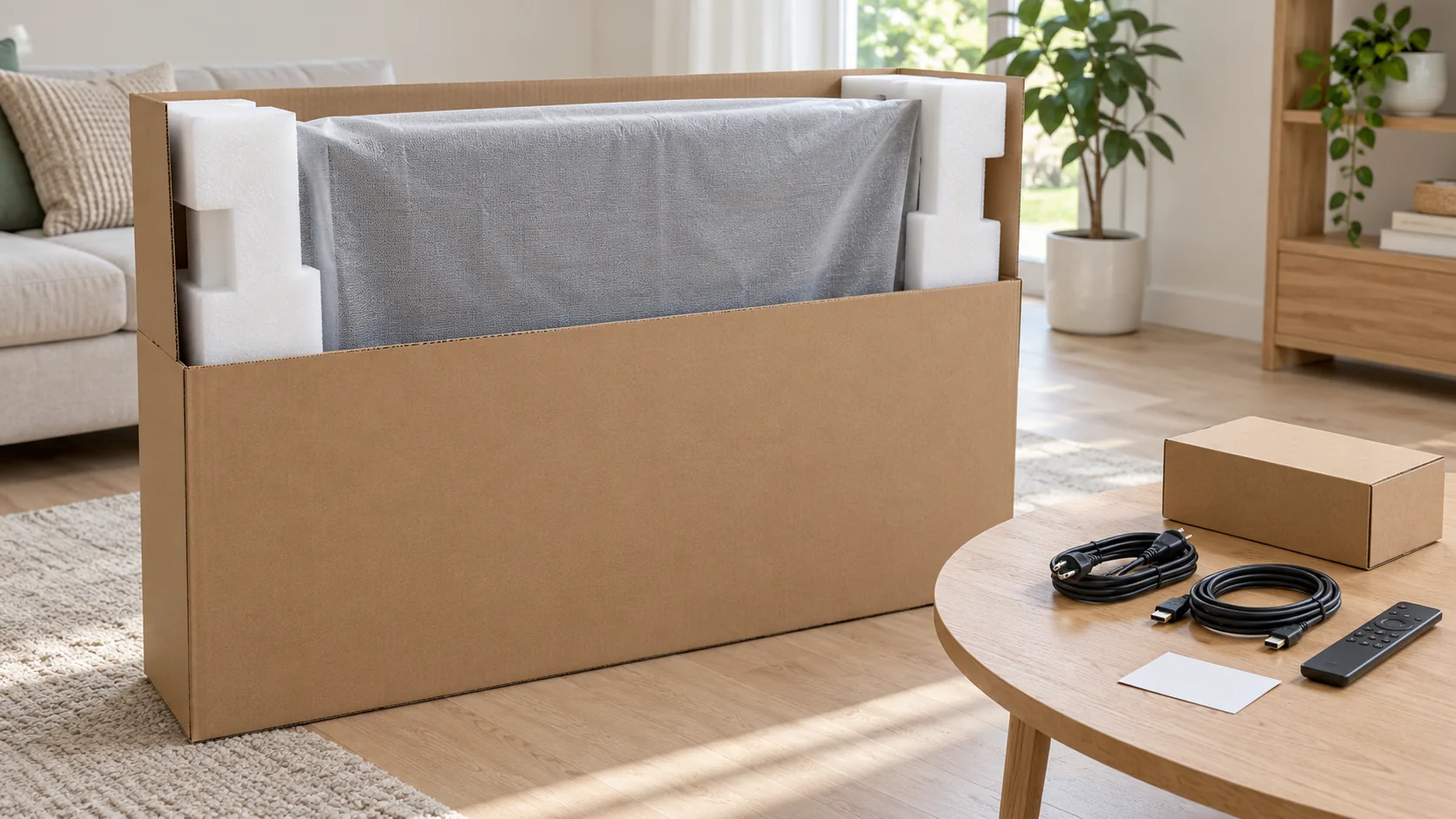
The linked Sony manual recommends the original carton and packing materials for a move. Check that suitable inserts are present and undamaged. An outside carton from another television does not establish compatibility. Compare positioning, screen protection and handling with the instructions for your own model.
Samsung’s service-shipping guidance calls for a strong undamaged carton, internal cushioning and a device that cannot move freely inside. If the original set is missing, agree a solution with the packer for the TV’s actual dimensions and construction beforehand. Thin film or a blanket alone should not be treated as a complete substitute for that plan.
Do not put pressure on the screen or apply adhesive tape to its surface. Follow the model instructions for grip positions and the number of people needed. The carrier should understand the protection, vehicle orientation and load restraint. General online advice does not replace requirements for the particular panel.
5. Check access against the package dimensions
Check doors, stair turns, the lift entrance and the route to the vehicle at both addresses. Use the finished carton dimensions rather than just the cabinet size. Allow room for the people carrying it and an appropriate agreed setting-down point. Send measurements and photographs in advance if access is uncertain.
Connect TV01 with the inventory and destination room. Mark the required orientation according to the packaging and device instructions. A “fragile” label replaces neither internal protection nor vehicle placement. Tell the carrier if packaging still needs to be prepared at the property; it is a separate part of the work and timing.
6. Prepare a receiving and checking area
Clear space for the carton before unloading and decide where the TV will be installed. A stand requires a suitable stable surface; readiness for wall mounting needs separate confirmation. Do not leave an unpacked panel leaning in a passage while other work is completed.
Match the television and accessories to the inventory and inspect the packaging and visible device condition. Before switching on, follow the manufacturer’s instructions, including requirements after transport between different temperatures. There is no universal waiting period for every TV. Record damage or abnormal operation and contact the contractual partner. Separate what you observed from assumptions about its cause.
7. Separate transport, mounting and configuration
Delivery into a room does not automatically include removal from the old wall, new wall mounting or app configuration. Discuss the intended result and responsibility for each stage. If another specialist handles network or equipment connections, schedule that work after installation rather than alongside carrying.
The quote should make clear who supplies materials, who packs the device and what is checked afterwards. Update the brief if the installation method changes. For example, switching from a wall mount to a stand requires the stand and matching fittings to arrive with the television.
| Stage | Agree |
|---|---|
| Preparation | Disconnection, removal, accessories and packing |
| Transport | Carrying, vehicle placement and delivery to the setup area |
| After delivery | Stand or mounting, connections and configuration scope |
8. Give the partner specific TV information
Umzughilfen is a marketing and referral service based in Idstein for moving enquiries in the Rhein-Main region. Provide the model, dimensions, packaging condition, access and work needed before and after transport. Send photographs by a method agreed with your named contact; the enquiry form has no file upload.
The independent partner named in advance confirms feasibility and scope, supplies the quote, enters into the contract for the work with you, performs the work, invoices you and receives payment. Umzughilfen retains its own referral and data-protection obligations. An enquiry is not yet a booking.
Questions about moving a television
Is the screen diagonal enough information?
No. Include the model, actual device and finished package dimensions, and details of the stand or wall mount.
What if the original carton is missing?
Agree packaging suitable for the model and dimensions in advance. A similarly sized empty box does not confirm that the internal supports fit.
Can the remote and screws go beside the screen?
Pack them separately, label them and link them to the television in the inventory. Hard objects must not put pressure on the screen.
Does transport include removal and new wall mounting?
Agree those tasks separately with the named provider. Confirm preparation, mounting compatibility at the destination and configuration scope.
When can the TV be switched on after delivery?
Follow your exact model instructions and the conditions after transport. First check condition and installation readiness; there is no single waiting period for every device.
Sources and notes
Editorial guide dated 29 October 2026. The Sony manual covers its listed models; Samsung discusses sending equipment for repair. Selected general packing principles are used here, not service-shipping conditions. The manufacturers are not Umzughilfen partners. TV01 labels are illustrative.